
For anyone who works by appointment

Clients book themselves.
You run the day.

Share your booking link and clients pick a time around the clock, with nothing to install. Your team’s calendar, reminders and client history live in one place, on your phone or on any computer.

Download on the App Store
Get it on Google Play
  • 7 days free, 14 with your first booking
  • No commission on bookings
  • Switch from another app in 10 minutes
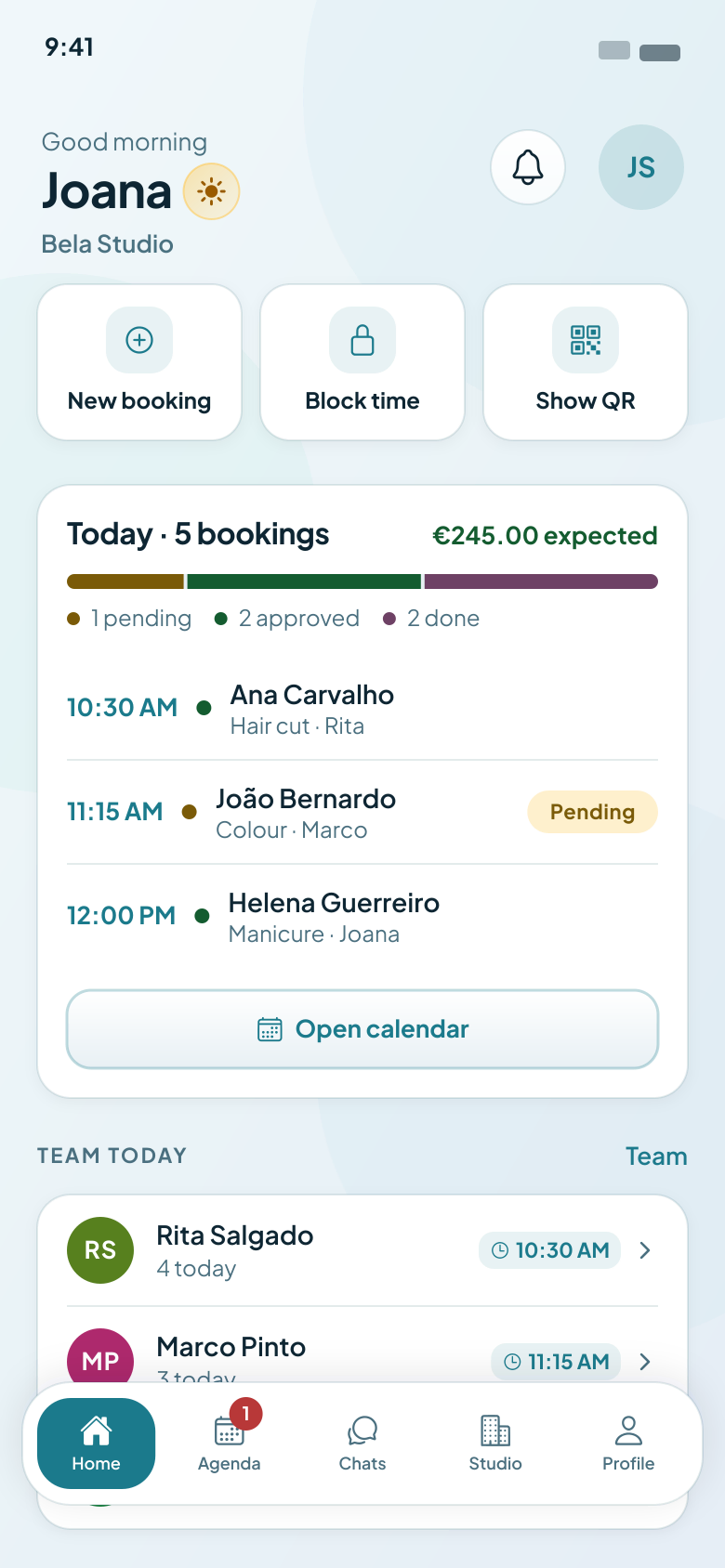
Agendo app home screen: quick actions, today’s bookings and who on the team is working

See Agendo in your line of work

Everything you need to run your business

From online booking to your team’s calendar, Agendo handles the admin so you can focus on your clients.

Team calendar

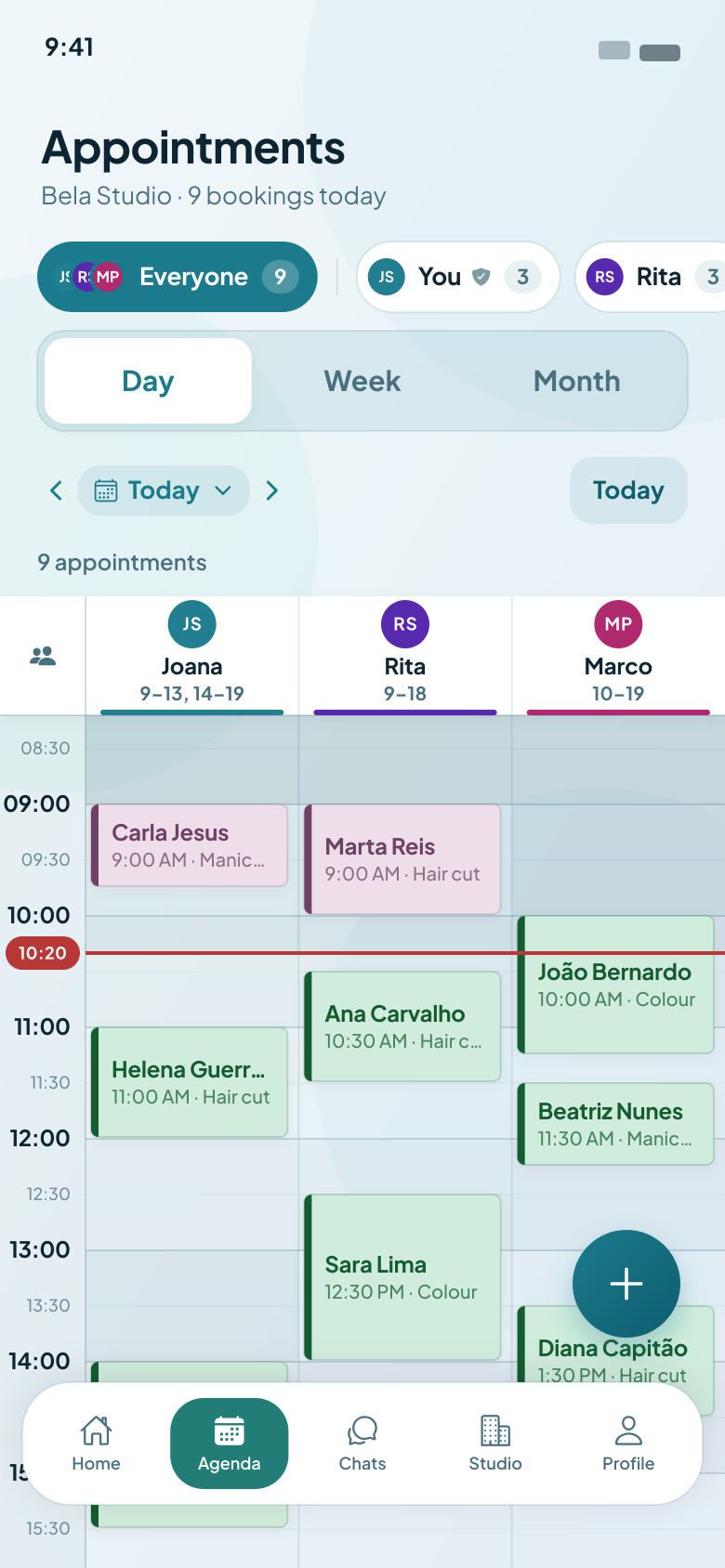
The day or the week with a column for each professional, so overlaps show up before they happen and a booking moves to a colleague in two taps. On your phone, a home-screen widget shows your next appointment and what’s left of today.

  • Day, week and month views, for the whole team or one person
  • Everyone’s working hours under their name, and a line at the current time
  • Add a booking for a client who phones, straight from the calendar
Agendo team calendar, with a column for each professional

Your own booking page

A page in your studio’s colours where clients book from a link or a QR code, with nothing to install. Pick one of four styles and eleven palettes, or your own brand colour, in light or dark.

  • Clients choose a service, a professional and a free time, then confirm
  • Share it in your Instagram bio, on WhatsApp or as a QR code at the desk
  • It comes in six languages, opens in the client’s own, and Google can find it

Try a look on Bela Studio

A studio’s booking page, as clients see it in their browser

Every client, with their history

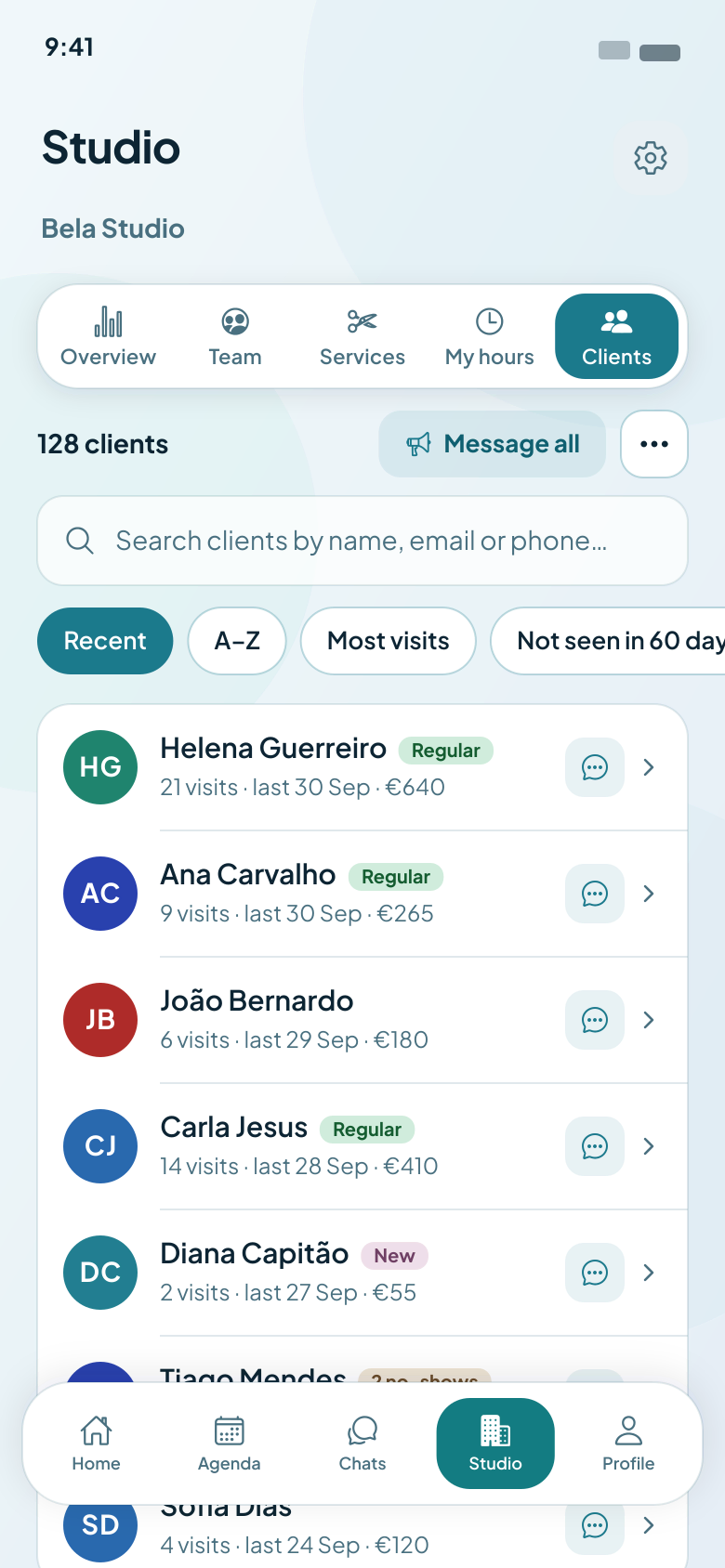
Visits, spending and contact details for everyone who books with you, in one list you can search, sort and message.

  • Visits, last visit and total spent next to every name
  • Sort by most visits, or find who you haven’t seen in 60 days
  • Import your clients from your phone’s contacts, or from a spreadsheet on the web
Client list in the Agendo app, with the visit history of each client

Know the numbers, not just the diary

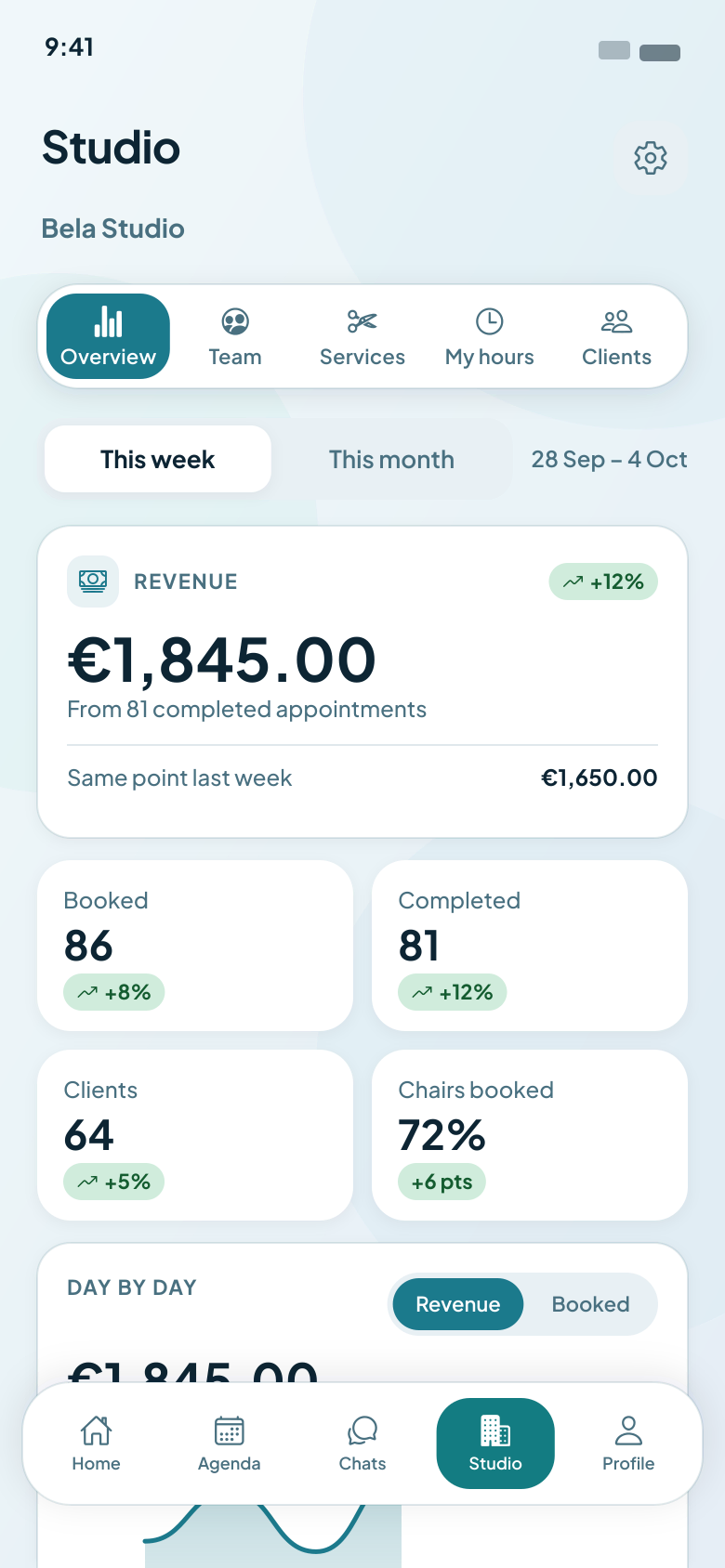
Revenue against last week, the day-by-day trend and how every booking ended, for the whole studio or one professional.

  • This week or this month, against the same point last time
  • Bookings, completed appointments, new and returning clients, and how full the diary was
  • A day-by-day chart of revenue or bookings
Studio overview in the Agendo app: revenue, bookings and the day-by-day trend

Your month, in a report on the 1st

On the first day of every month, the owner and each professional get an email with a PDF of the month that just ended: revenue, bookings, new clients and ratings, next to the month before.

  • The owner sees the whole studio, with every professional side by side
  • Each professional gets only their own numbers, never a colleague’s
  • In your studio’s colours, logo and name, and in each person’s own language

See it as

A sample monthly report: the email and the first page of its PDF

On your computer, too

Everything you run in the app also works in the browser, on a bigger screen. Sign in with the same phone number and your calendar, clients, chats and settings are already there, and every change shows up in the app straight away.

  • The whole team’s week at a glance, with clients, services, team and reports beside it
  • Design your booking page and watch a live preview change as you go
  • Your team signs in at your studio’s own web address, with your logo, and gets notifications in the browser
Sign in on the web
The Agendo backoffice in a browser: the sidebar and a week of the team calendar

Team and time off

Working hours, holidays, roles and permissions for each person, plus specific days such as the 3rd Saturday of the month, and days off that repeat every week or two. Time off on a day with bookings moves them to a colleague, or cancels them, in one go.

Services and prices

Services with their own durations, prices and descriptions, grouped by kind. Clients can book several in one visit and see the total time and price as they add them. Group services, such as classes and workshops, have a set number of places.

Automatic reminders

Clients are reminded before every booking: by push if they use the app, by email if they gave you an address, and by SMS the day before on Pro.

Chat and news

Message your clients in the app, with photos, saved replies and links that open with a tap, and once a month send news to all of them at once.

Waitlist

A full day doesn’t have to mean a lost client. They join the waitlist and, the moment a slot frees up, book it in one tap from the notification.

Booking rules

Set how much notice a booking needs, how far ahead your calendar opens and how late clients can cancel. Approve each booking yourself, or let them confirm on their own.

Get started in minutes

Three steps from download to your first booking.

  1. 01

    Create your studio

    Download the app and sign up with your phone number. Add your services, prices and working hours. Or take a photo of your price list, and Agendo fills in names, prices and lengths for you to check.

  2. 02

    Add your team

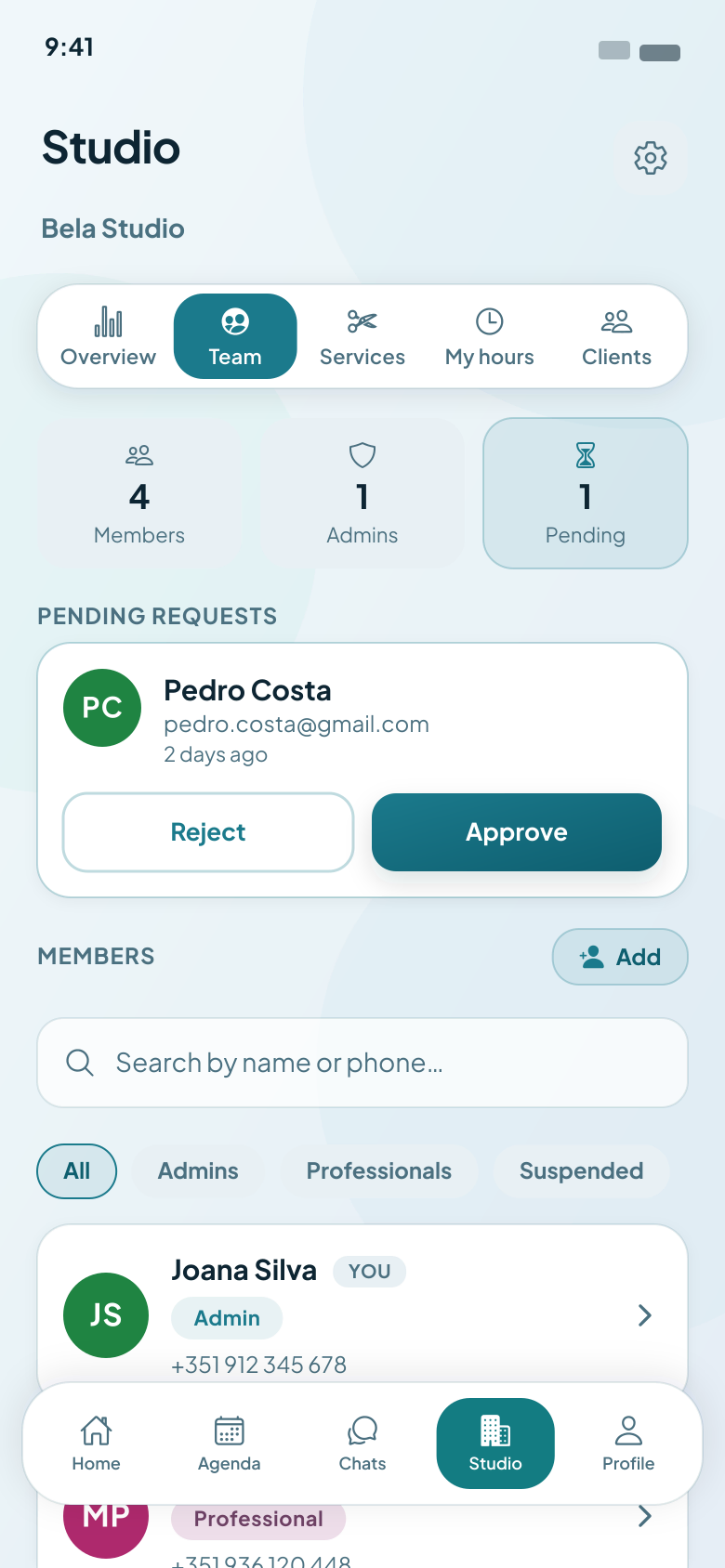
    Add professionals with their name and phone number, or accept their requests to join. Working alone? Skip this step.

  3. 03

    Share your link

    Put your booking link in your Instagram bio, on WhatsApp or on a QR code at the desk. Clients book around the clock.

Coming from another app?

Switch to Agendo in 10 minutes

No retyping your whole menu or your client book. Bring what you already have, and you can be taking bookings before your next client walks in.

10 minfrom sign-up to your new booking link
  1. Your services, from a photo

    Take a photo of your price list, or a screenshot of your menu in your old app. Agendo fills in names, prices and durations, and you check them before anything is saved.

  2. Your clients, in one go

    Pick them from your phone’s contacts, or export the client list from your old app and upload the CSV on the web. You see every name and number before anyone is added.

  3. Your new booking link

    Set your working hours, then swap the old link in your Instagram bio and on WhatsApp for your Agendo page. Clients can book from it straight away.

Appointments already booked in your old app stay there: add the upcoming ones from the calendar, and every new one comes in through Agendo.

Simple pricing, no commission

One plan per professional, or one plan for the whole team, monthly or yearly. Agendo is always free for your clients.

Every professional starts with a 7-day free trial of Pro, and gets 14 days if the studio takes its first booking in that first week.

Basic

Best if your clients use the app

€9.99/month

per professional

  • Calendar, bookings and team
  • Booking page and waitlist
  • Clients and their history
  • Reports and analytics
  • Reminders by push and email
Popular

Pro

Best if some clients don’t use the app

€14.99/month

per professional

  • Everything in Basic
  • An SMS reminder the day before, for clients without the app
  • Priority support

Got a team? One plan for everyone

The owner or an admin pays one subscription that covers the whole team, and each person costs less than on a plan of their own. You choose it in the app, like every plan.

  • Team 2

    Up to 2 people

    Basic
    €17.99
    Pro
    €26.99

    ≈ €13.50 a person

  • Team 3

    Up to 3 people

    Basic
    €24.99
    Pro
    €37.99

    ≈ €12.66 a person

  • Team 5

    Up to 5 people

    Basic
    €39.99
    Pro
    €59.99

    ≈ €12.00 a person

  • Team 10

    Up to 10 people

    Basic
    €79.99
    Pro
    €99.99

    ≈ €10.00 a person

  • Team 20

    Up to 20 people

    Basic
    €129.99
    Pro
    €139.99

    ≈ €7.00 a person

Prices per month for the whole team. Some sizes can also be paid yearly, in the app.

Invited by someone already on Agendo? Your trial is 30 days.

You subscribe in the app, through the App Store or Google Play, and can change plan or cancel there at any time.

Compare

Why studios choose Agendo

The booking apps most used in Portugal and Brazil, side by side on what you pay, what is charged on each booking, reminders and what your clients have to install. Every page says where its facts come from, and when they were checked.

  • No commission and no booking fee on any booking, so a busy month never costs you more.
  • A price you can plan for: one plan per professional, the same every month.
  • Clients book from your link in their own browser and language, with nothing to install.
  • Team calendar, reminders, waitlist and client history in one app on your phone.

Agendo vs Buk

Agendo and Buk both let clients book online and send automatic reminders. Agendo is one plan from €9.99 a month per professional, with no commission and no payment fees; Buk is a fee per business — €15.99 a month on Pro or €25.99 on Pro+, VAT excluded, plus €4 a month for each collaborator after the first — and it also takes online payments at the time of booking. Buk keeps a free plan for a single collaborator; Agendo starts with 7 days of Pro.

Checked 7 November 2026

See the full comparison
Agendo vs Fresha

Agendo and Fresha both give you online booking, reminders and a team calendar. The difference is what you pay: Agendo is one plan from €9.99 a month per professional, with no commission. Fresha is no longer free: in the UK it charges £14.95 a month for one professional, plus a one-off 20% fee on every new client its marketplace brings you. Fresha also takes card payments, which Agendo doesn’t handle.

Checked 19 October 2026

See the full comparison

Agendo vs Booksy

Agendo and Booksy both let clients book online without installing an app. Agendo is one plan from €9.99 a month per professional, with no commission. In Spain, Booksy charges €34.99 a month plus VAT, €8 plus VAT for each additional team member, and 30% of a new client’s first visit when its optional Boost marketplace brings them to you.

Checked 19 October 2026

See the full comparison

Agendo vs Treatwell

Agendo and Treatwell both take bookings online, but they work differently. Agendo is a booking app with one plan from €9.99 a month per professional, no commission and no contract. Treatwell is a marketplace: in Portugal it charges 25% plus VAT on each new client’s first booking through it, a monthly fee it doesn’t list on its pricing page, and a minimum contract of 12 months.

Checked 19 October 2026

See the full comparison
FAQ

Questions, answered

Is the price per studio or per professional?

Either. Everyone who works in your studio, admins included, can have their own plan, Basic or Pro. Or the owner or an admin buys one team plan for 2 to 20 people, which costs less per person. Someone whose request to join is still waiting pays nothing until you accept it.

Do my clients need to install the app?

No. They book on your booking page, in their browser, from a link or a QR code. Agendo is always free for clients, and those who do install the app also get push notifications and can message you.

Can I bring my existing clients?

Yes. In the app you can pick people from your phone’s contacts, up to 200 at a time. On the web you can paste a list or upload a CSV file, and you see exactly what was read before anyone is added.

Can I use Agendo on a computer?

Yes. Once your studio is set up in the app, sign in on the web with the same phone number. Your calendar, clients, chats and settings are all there on a bigger screen, and every change shows up in the app straight away.

Sign in on the web
Can I cancel at any time?

Yes. Plans are App Store or Google Play subscriptions, so you cancel in your store, with no contract and no fee. You keep access until the end of the period you have paid for.

Do you take payments or charge commission?

No. Agendo doesn’t handle payments, so clients pay you as they do today, and we take no commission or booking fee. Your plan is the only cost.

Which countries and languages does Agendo work in?

Agendo started in Portugal and is built for studios in Brazil, the United Kingdom and the United States too. Each studio runs on its own time zone and in its own currency (euros, reais, pounds or dollars), and the app, the website and every booking page come in English, European Portuguese, Brazilian Portuguese, Spanish, French and Italian.

What happens to my data?

It is stored on servers in the European Economic Area. We don’t use it for advertising and we never sell it. You can download a copy or delete your account from the app whenever you like.

Read our privacy policy
Download the app

Start taking bookings online today

Add your services and hours, share your booking link, and clients can start booking straight away. The first 7 days are free.

Download on the App Store
Get it on Google Play
Find a studio